
Originally posted by Scrag Meister
View Post
-
Thanks for clearing that up. I have my old acer LCD monitor displaying 1920 x 1080 which I use for gaming with gigabyte super oc gtx 470. Doing good for now, but wound upgrade to one of the 27" Korean monitors in future.I am Brad. I do more than the needful and drive the market rates up by not bobbing my head. -
Eyefinity is the way to go.
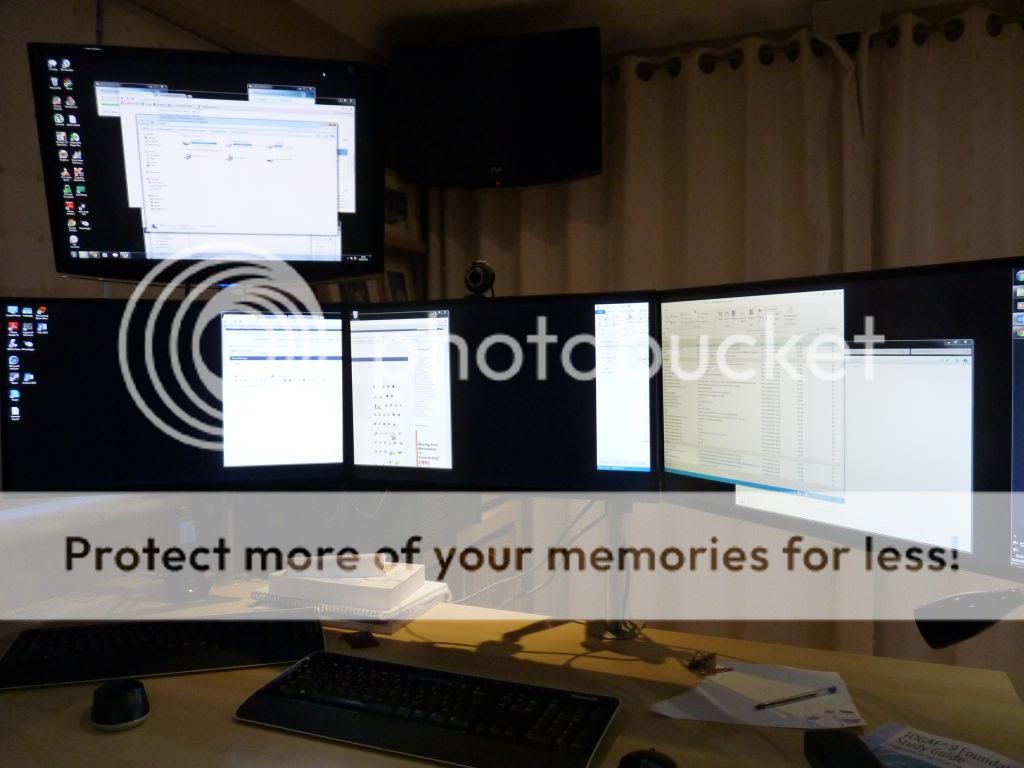
I've got a triple screen Eyefinity setup with a fourth monitor for my server.
I'm running a Radeon HD7970 3GB Graphics card and 3 x Iiyama E2481HS monitors which have ultra slim bezels. I have the display set so it automatically compensates for bezel width. The stands are MDM series from AllCam.
The screen on the wall at the back is just a TV.
 ...my quagmire of greed....my cesspit of laziness and unfairness....all I am doing is sticking two fingers up at nurses, doctors and other hard working employed professionals...
Comment
-
-
Those monitors look kind of high up?Originally posted by MaryPoppinsOriginally posted by vetranComment
-
Nope, the tops of the monitors are only 23" above the desk and my line of sight is 2/3 of the way up the screen. I have put them there so that I have to hold my head up slightly and avoid slouching - after back problems from hunching my shoulders over badly positioned monitors for years I find this is very comfortable.Originally posted by d000hg View Post...my quagmire of greed....my cesspit of laziness and unfairness....all I am doing is sticking two fingers up at nurses, doctors and other hard working employed professionals...
Comment
-
I have just realised that my Lenovo T420s has a DisplayPort (I was not aware of this before) , I assumed it was HDMI, like my older Dell 1550.
My HP S2031a does not have DisplayPort, but can I get an adapter or better to simply get a better monitor?
qhHe had a negative bluety on a quackhandle and was quadraspazzed on a lifeglug.
I look forward to your all knowing and likely sarcastic and unhelpful reply.
Comment
-
Another +1 for the 27" DGM. Exactly the same panel as Dell and I've had zero problems with it over the last 6 months - yes the stand is a bit flimsy and it doesn't rotate or do any fancy stuff but if you just want a cheap 2560x1440 IPS panel display, this is the one to choose IMO.Originally posted by Durbs View Post
Also agree there is a TON of difference between 1920x1080 and 2560x1440 and I'd never want to go back. If you work in IT and screen real estate is important to you, get one of these and you'll never look back.
Comment
-
Over compensating for something?Originally posted by Lockhouse View PostOriginally posted by Stevie Wonder BoyComment
-
I've been considering one of these instead of a dual monitor setup
http://www.amazon.co.uk/gp/product/B...pf_rd_i=468294Coffee's for closersComment
-
Then you're mental!
LG 29EA93-P resolution - 2560 x 1080
That's barely more than a single Dells 27"er.And the lord said unto John; "come forth and receive eternal life." But John came fifth and won a toaster.Comment





Comment