Originally posted by northernladuk
View Post
- Visitors can check out the Forum FAQ by clicking this link. You have to register before you can post: click the REGISTER link above to proceed. To start viewing messages, select the forum that you want to visit from the selection below. View our Forum Privacy Policy.
- Want to receive the latest contracting news and advice straight to your inbox? Sign up to the ContractorUK newsletter here. Every sign up will also be entered into a draw to WIN £100 Amazon vouchers!
Collapse
You are not logged in or you do not have permission to access this page. This could be due to one of several reasons:
- You are not logged in. If you are already registered, fill in the form below to log in, or follow the "Sign Up" link to register a new account.
- You may not have sufficient privileges to access this page. Are you trying to edit someone else's post, access administrative features or some other privileged system?
- If you are trying to post, the administrator may have disabled your account, or it may be awaiting activation.
Logging in...
Previously on "Netflix on TV, no other internet access...."
Collapse
-
It's on groupon at 22% off at the moment. I might have toOriginally posted by Platypus View PostC'mon NLUK jump in with an Apple TV and be done with it !
Leave a comment:
-
But the whole point is he can't take a device like that upstairs. We have Samsungs throughout the house which can already do this anyway.Originally posted by kal View PostI'm picking up a ChromeCast dongle for 30 notes on my way from work today, works like apple TV but way cheaper and the only way to get an internet page on the telly from it is to 'cast' a tab from your Chrome Browser running on your laptop, otherwise you can fill your boots with iPlayer, Netflix and YouTube all controlled via an app on your device!
Leave a comment:
-
Google Chromecast?
I'm picking up a ChromeCast dongle for 30 notes on my way from work today, works like apple TV but way cheaper and the only way to get an internet page on the telly from it is to 'cast' a tab from your Chrome Browser running on your laptop, otherwise you can fill your boots with iPlayer, Netflix and YouTube all controlled via an app on your device!
Leave a comment:
-
I'm certainly not. They are not actually mine but too complicated to explain every timeOriginally posted by d000hg View Post
Or Google "Smart TV parental controls"... are you sure you're cut out to be a dad?
Thanks for the vid though. Same interface as mine so will play with that tonight.Last edited by northernladuk; 19 March 2014, 16:15.
Leave a comment:
-
-
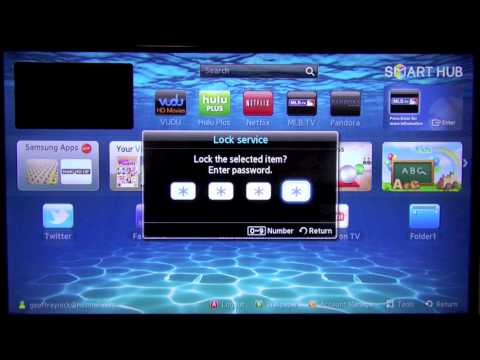
Probably depends on the TV... and many TVs allow you to set parental locks on channels so perhaps on apps too?Originally posted by northernladuk View PostEh? it has a full internet browser in it so can watch anything.... We already found that one out on the main tv.
Leave a comment:
-
Make sure you turn off airplay too, otherwise the little scamps mates will be streaming stuff to it from their phones...Originally posted by stek View PostApple TV, you can remove the other icons etc under password and just leave Netflix, tho the other's are pretty useless for anything except iTunes really....
Leave a comment:
-
Eh? it has a full internet browser in it so can watch anything.... We already found that one out on the main tv.Originally posted by VectraMan View PostWhat else do you get access to with a smart TV? iPlayer? 40D? It's hardly X-Hamster is it?
Should be pretty easy to setup using your router's firewall settings.
Leave a comment:
-
What else do you get access to with a smart TV? iPlayer? 40D? It's hardly X-Hamster is it?
Should be pretty easy to setup using your router's firewall settings.
Leave a comment:
-
They do but they are not allowed in the bedrooms. Other half is a teacher so have internet safety drilled in to them and an incident with a girls selfies doing the rounds at the kids school 2 years ago make it a bit of a hot topic at our house I am afraid.Originally posted by d000hg View PostYou could perhaps use a smart TV and using a firewall on the router, block that device from anything except Netflix?
Does he have a mobile phone though, as that would undo everything you are trying to do?!
Leave a comment:
-
You could perhaps use a smart TV and using a firewall on the router, block that device from anything except Netflix?
Does he have a mobile phone though, as that would undo everything you are trying to do?!
Leave a comment:
- Home
- News & Features
- First Timers
- IR35 / S660 / BN66
- Employee Benefit Trusts
- Agency Workers Regulations
- MSC Legislation
- Limited Companies
- Dividends
- Umbrella Company
- VAT / Flat Rate VAT
- Job News & Guides
- Money News & Guides
- Guide to Contracts
- Successful Contracting
- Contracting Overseas
- Contractor Calculators
- MVL
- Contractor Expenses
Advertisers

Leave a comment: