
• Visitors can check out the Forum FAQ by clicking this link. You have to register before you can post: click the REGISTER link above to proceed. To start viewing messages, select the forum that you want to visit from the selection below. View our Forum Privacy Policy.
  • Want to receive the latest contracting news and advice straight to your inbox? Sign up to the ContractorUK newsletter here. Every sign up will also be entered into a draw to WIN £100 Amazon vouchers!

You are not logged in or you do not have permission to access this page. This could be due to one of several reasons:

  • You are not logged in. If you are already registered, fill in the form below to log in, or follow the "Sign Up" link to register a new account.
  • You may not have sufficient privileges to access this page. Are you trying to edit someone else's post, access administrative features or some other privileged system?
  • If you are trying to post, the administrator may have disabled your account, or it may be awaiting activation.

Previously on "Permanently Deleting Hard Drive Files"

Collapse

  • Support Monkey
    replied
    its a nice idea giving old It equipment away but your opening the door to a whole heap of trouble, your presumably ditching it because its to old so why would anyone else want an out of date laptop, then they try doing things with it and it fails who they gonna come to probably you.

    When ever anyone asks me about old IT equipment i always say the same thing, "if i give you this and you take it home and it catches fire and your house burns down who is liable" its the reason they brought in the WEEE regulations.

    Destroy the drive take the rest to the local recycling center and give the charity money

    In fact a Charity may not even be able to take it for the reasons listed

    Leave a comment:


  • rob s
    replied
    second hand PCs are probably not overly useful I'd have though - shorter lifespan, redundant parts. As already suggested, take a hammer and spike to your HDD, donate the rest of the unit to get the metals recycled, and donate cash or skills/time to good causes if you want to help them.

    Leave a comment:


  • jonathancook12
    replied
    There are so many tool available which lets you delete data permanently so that no one is able to recover it even with the use of data recovery tools. I have used a tool called Kernel File Shredder which works on idea of overwriting the contents of file many a times making the data unrecoverable.

    Leave a comment:


  • doodab
    replied
    Originally posted by Jeff Maginty View Post
    But even if you grind the magnetic material off, wouldn't a small spec of material that flew off the grinder still contain enough data to be meaningful? Hence the need to atomize?
    If you are that paranoid just take the disk out and keep it in a special secret place.

    Leave a comment:


  • Jeff Maginty
    replied
    ..
    Last edited by Jeff Maginty; 5 June 2022, 09:28.

    Leave a comment:


  • doodab
    replied
    Originally posted by Jeff Maginty View Post
    Considering the high capacity of hard disks nowadays, wouldn't even a tiny chunk of the disc (e.g. 1 square mm) potentially contain a few KB of data?
    Current areal densities are more like a gigabit per square mm.

    There are various methods for ensuring total destruction e.g. grinding the magnetic material off or dissolving it in strong acid. The platters themselves are aluminium so can be melted fairly easily.

    Leave a comment:


  • Jeff Maginty
    replied
    ..
    Last edited by Jeff Maginty; 5 June 2022, 09:28.

    Leave a comment:


  • cykophysh39
    replied
    use Eraser Eraser
    Job Done

    Leave a comment:


  • Advocate
    replied
    Re: Permanently Deleting Hard Drive Files

    Originally posted by kaiser78 View Post
    Thanks for all responses.

    Is there any risk by using any of these tools that data could still be recovered or are they 100% secure ?
    Yes
    No

    Probably 'secure enough'

    Multi pass overwrites with 0s 1s and random tends to be common, combine it with physical destruction if you're paranoid/storing something you shouldn't!

    Leave a comment:


  • kaiser78
    replied
    Originally posted by Platypus View Post
    Use ccleaner it will delete a lot of temp junk files that you probably don't know are there plus cookies, passwords, form data, and there's an option to secure clean hard drive free space too. Free download. Then you can donate the laptop complete with its hard drive and O/S installed.

    CCleaner - PC Optimization and Cleaning - Free Download
    Thanks for all responses.

    Is there any risk by using any of these tools that data could still be recovered or are they 100% secure ?

    Leave a comment:


  • Platypus
    replied
    Use ccleaner it will delete a lot of temp junk files that you probably don't know are there plus cookies, passwords, form data, and there's an option to secure clean hard drive free space too. Free download. Then you can donate the laptop complete with its hard drive and O/S installed.

    CCleaner - PC Optimization and Cleaning - Free Download

    Leave a comment:


  • oscarose
    replied
    Originally posted by northernladuk View Post
    Hard drive eraser.... Does the job perfectly. Zero chance of data getting in to the wrong hands..
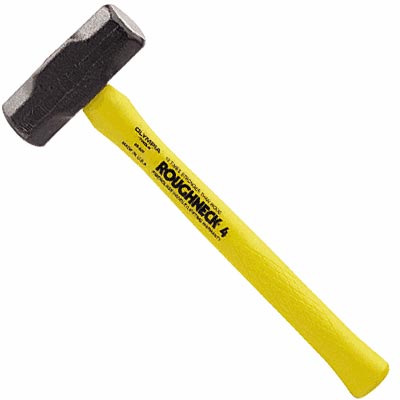
    +1

    Leave a comment:


  • quackhandle
    replied
    This (although no doubt some one will reply saying that data could still be extracted after doing this.)

    qh

    Leave a comment:


  • northernladuk
    replied
    Hard drive eraser.... Does the job perfectly. Zero chance of data getting in to the wrong hands..

    Leave a comment:


  • SimonMac
    replied
    Originally posted by Sockpuppet View Post
    I recently threw out ~10 years of associated hard drives. Around 12 or so. The easiest way to make them "clean" was to make sure they were no longer hard drives sou out came the angle grinder.


    I have no worries about anyone being able to read the files now.


    If it was me I'd buy a new HDD for cheapness and replace it.
    This!

    Leave a comment:

Working...
X


